
Field Notes
fieldnotes.co
684 ↑ 12.4%
1,842 views 38% bounce 2m 41s avg
Native macOS menu bar app
UmamiBar is a native menu bar client for your analytics. Visitors, trends, and site details for everything you track — one click away, never another browser tab.
Free and open source. No account, no telemetry, no cloud relay.
fieldnotes.co
1,842 views 38% bounce 2m 41s avg
atlas.studio
1,106 views 44% bounce 1m 58s avg
kernel.weekly
512 views 51% bounce 1m 22s avg
fieldnotes.co
11.6K views 41% bounce 2m 37s avg
atlas.studio
6,930 views 46% bounce 1m 51s avg
kernel.weekly
3,180 views 49% bounce 1m 27s avg
fieldnotes.co
48.2K views 43% bounce 2m 34s avg
atlas.studio
27.4K views 47% bounce 1m 49s avg
kernel.weekly
12.9K views 52% bounce 1m 19s avg
What it does
UmamiBar is not a shrunken dashboard. It is a focused menu bar client for the numbers you check between real work.
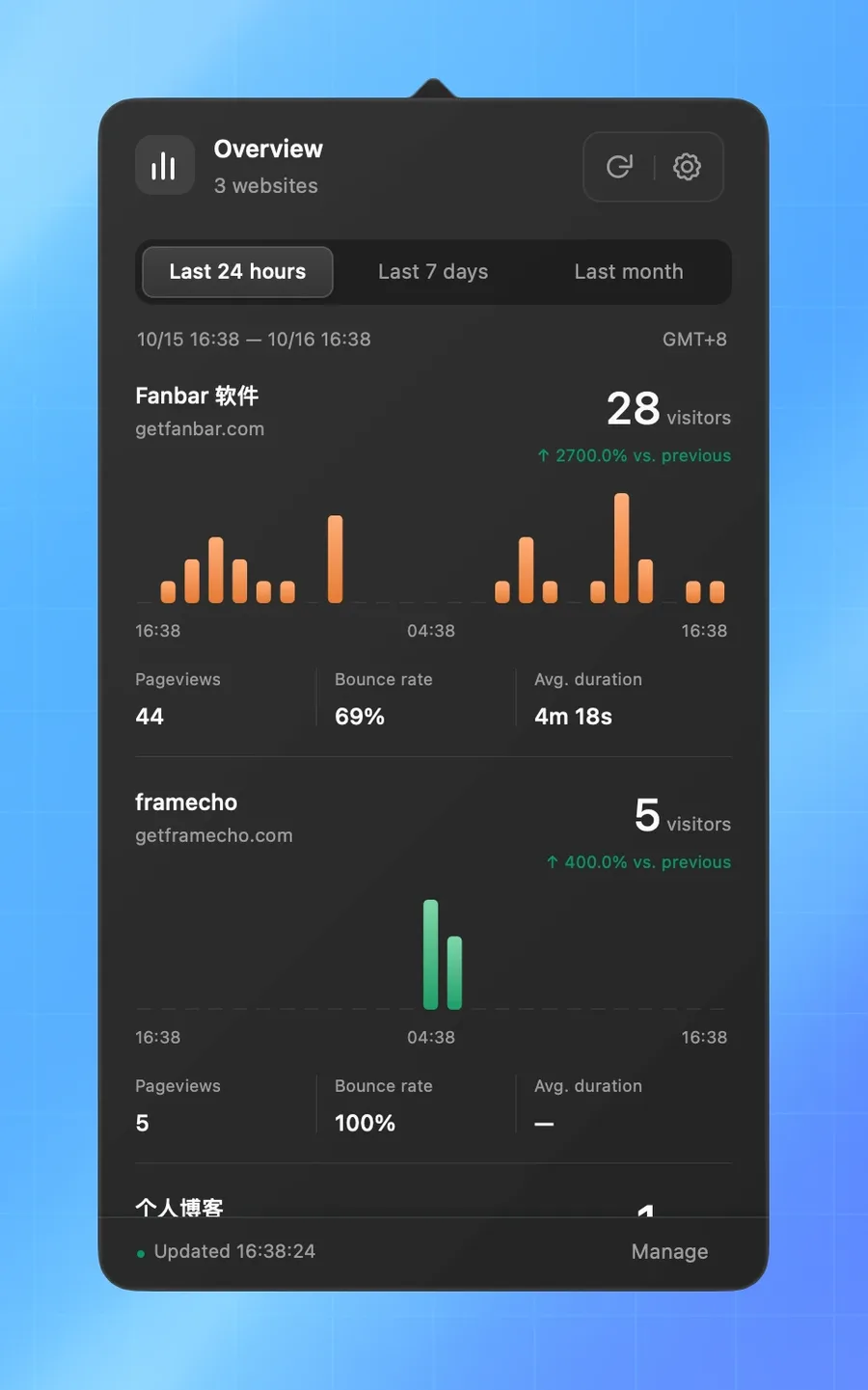
Visitors, period-over-period change, a session chart, and traffic quality for each site — together in one popover.
Last 24 hours, 7 days, or a calendar month. Every total is compared against the immediately preceding window.
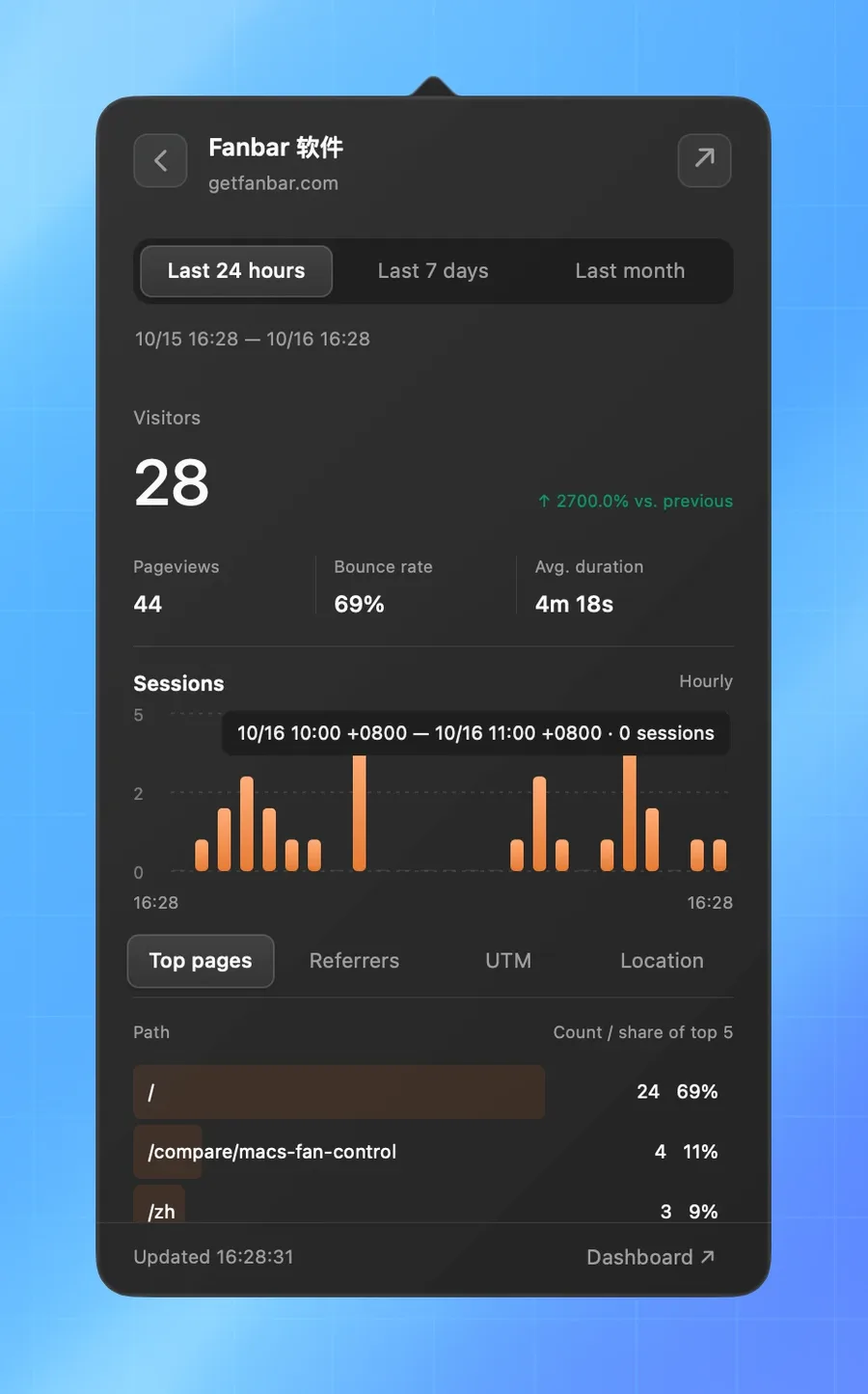
Open any site for a larger chart, top pages, and referrers. The back button restores your exact scroll position.
Pure AppKit drawing and URLSession. No embedded browser, no local web server, and no Electron runtime.
API keys live in macOS Keychain. Remote endpoints require HTTPS, and redirects never forward credentials.
Refreshes every 60 seconds only while open. Follows system appearance, keyboard access, and reduced motion.
Under the hood
The charts are drawn by AppKit. Requests go straight from your Mac to the Umami endpoint you configure. There is no WebView, no bundled web server, and no analytics middleman — just the app, URLSession, and your instance.
Website requests run sequentially, so a large selection may take a little longer while staying polite to your server.
Sparkle 2 is the only third-party dependency.
Screenshots
Native glass, warm chart colors, and the same considered layout in both appearances. These are real captures with sample data.
All selected websites in one scrollable list: visitors, comparison, session chart, and traffic quality.
Security
UmamiBar talks only to the endpoint you configure. Credentials are handled by macOS rather than a JSON file sitting next to the app.
API key → macOS Keychain
Remote service URLs must use HTTPS. Plain HTTP is allowed only for localhost, 127.0.0.1, and ::1 during development.
A redirect could carry a Bearer key to another host, so UmamiBar rejects it instead of following it.
API keys never appear in logs, preference files, request URLs, or diagnostics. Keys are stored with macOS Keychain.
Traffic data goes from your Umami instance to your Mac. There is no UmamiBar cloud, account, or analytics pipeline.
Install
$ brew tap helson-lin/umamibar https://github.com/helson-lin/umamibar
$ brew install --cask helson-lin/umamibar/umamibar
Tracks signed, notarized releases. Upgrade with
brew upgrade --cask.
Universal build for Intel and Apple Silicon. Signed and notarized; open the disk image and drag UmamiBar to Applications.
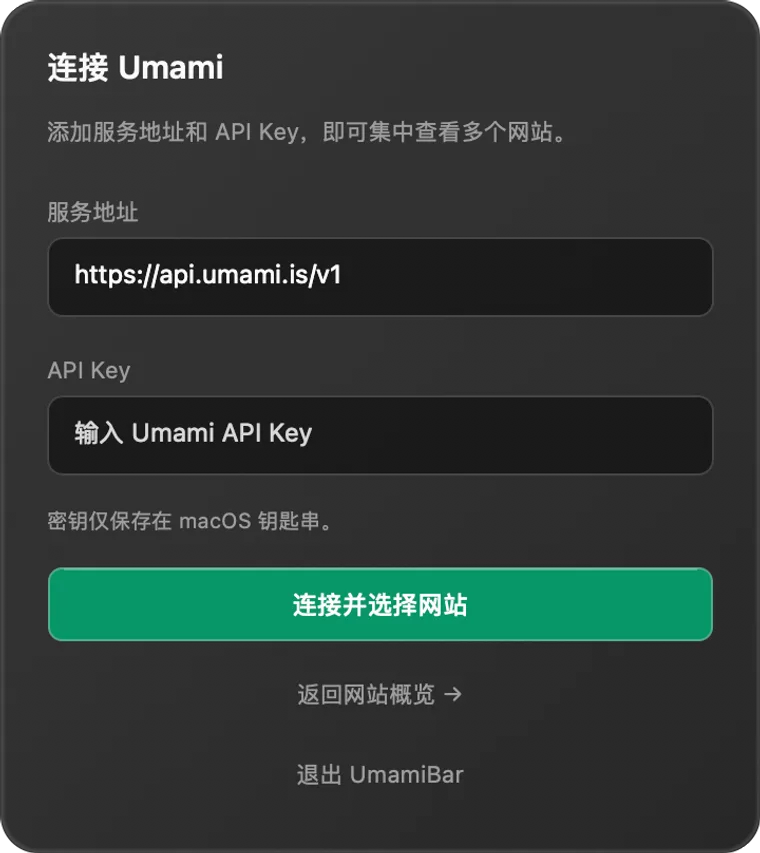
Download v0.1.4Enter your Umami API URL and key, then verify the connection.
Pick which websites should appear in the popover. Search and bulk select are included.
The menu bar count appears immediately. Use the gear any time to change the setup.
v0.1.4 is an early release. Review the current limits before relying on it. Requires an Umami deployment that supports API-key authentication.
Questions
What works today, what does not, and where your data actually goes. The README is the source of truth for current limits.
Read the READMEYes, as long as the deployment supports Bearer API keys. Umami Cloud uses https://api.umami.is/v1. For a root-deployed self-hosted instance, enter its base URL and the app adds /api; subpath deployments keep the path you supply. Older servers that only support password login are not compatible.
No. It is an independent, MIT-licensed client built by JarinHe. It is not affiliated with or endorsed by the Umami project.
The popover refreshes every 60 seconds while it is open and pauses polling when closed. The menu bar number is the sum of visitors across selected websites for the active range — not a live online-user count, and not deduplicated across sites. Large numbers use compact suffixes; the exact count is in the tooltip.
Yes. Requests carry the key from macOS Keychain, and it is never written to logs, preference files, or URLs. Remote endpoints must be HTTPS; redirects are refused. Removing the app's preferences does not delete the Keychain item — clear the connection in Settings first if you want it gone.
Not yet. UmamiBar supports one instance at a time, with any number of websites from that instance. Cross-instance aggregation is not implemented.
Yes. Releases are universal binaries with an Intel deployment target of macOS 10.15 Catalina and Apple Silicon support from macOS 11. Catalina hardware validation is still listed as a current limit in the project README.
Tagged releases are Developer ID signed and notarized. UmamiBar checks for updates with Sparkle 2, and you can trigger a manual check under Settings → General. Ad-hoc CI artifacts are not eligible for in-app updates.
English and Simplified Chinese. Choose System, 简体中文, or English under Settings → General → Language; the change applies immediately, and System follows your macOS language.
Put Umami in your menu bar. Native, private, and out of the way until the number matters.
macOS 10.15+ · Universal · MIT licensed. No account required.